Morse Code Translator — Free Online Text to Morse & Back
Turn your words into dots and dashes — or decode Morse back into plain English — with this free online Morse code translator. It works instantly in your browser: no account, no signup, no downloads. Just type and watch your message convert in a split second. Whether you’re writing a secret note, decoding a puzzling signal, or simply curious how this classic code works, the tool does the heavy lifting for you. Unlike old-school gear such as a Morse code keyer and sounder, which demands careful manual timing and a trained ear, this translator handles the encoding automatically. It’s quick, friendly, and hands-on — ideal for learning Morse for fun, unraveling a mystery message, or exploring how people communicated before modern technology.
How to Use This Morse Code Translator
- Type or paste your message into the translator box at the top of this page — your text converts to dots and dashes instantly as you type.
- To decode instead, paste dots and dashes into the box and read the plain-English result right away.
- Press Play to hear your message as beeps, watch it flash as light, or feel it as vibration.
- Use the copy button to grab your result and share or save it anywhere.
What Is Morse Code?
Morse code is a messaging system that swaps letters, numbers, and punctuation for short and long pulses — the familiar dots (·) and dashes (–). It was designed to carry messages over long distances as sound, light, or electrical signals. As one of the earliest ways to exchange information quickly without speaking face to face, it remains a landmark in the history of communication technology.
Morse Code History
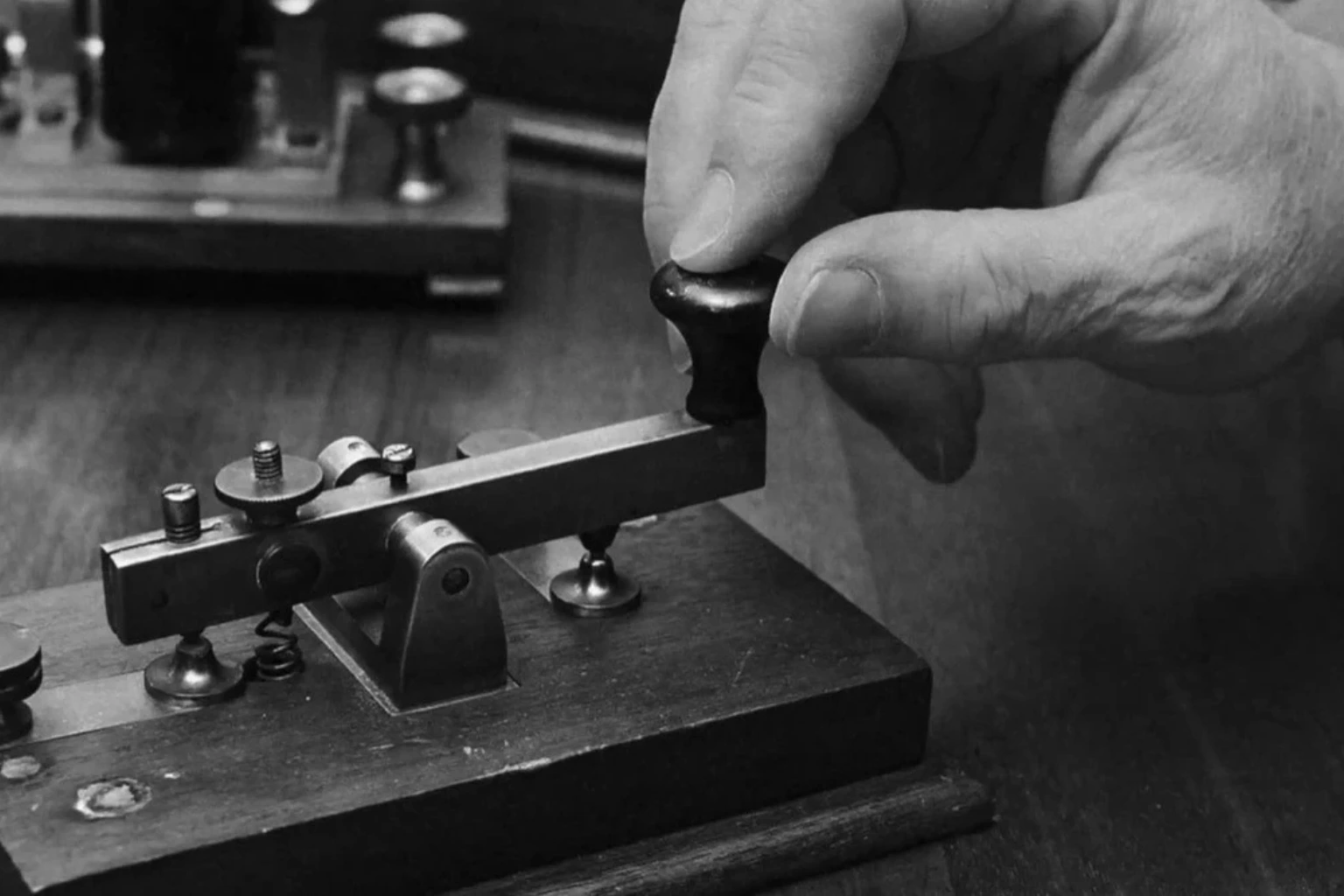
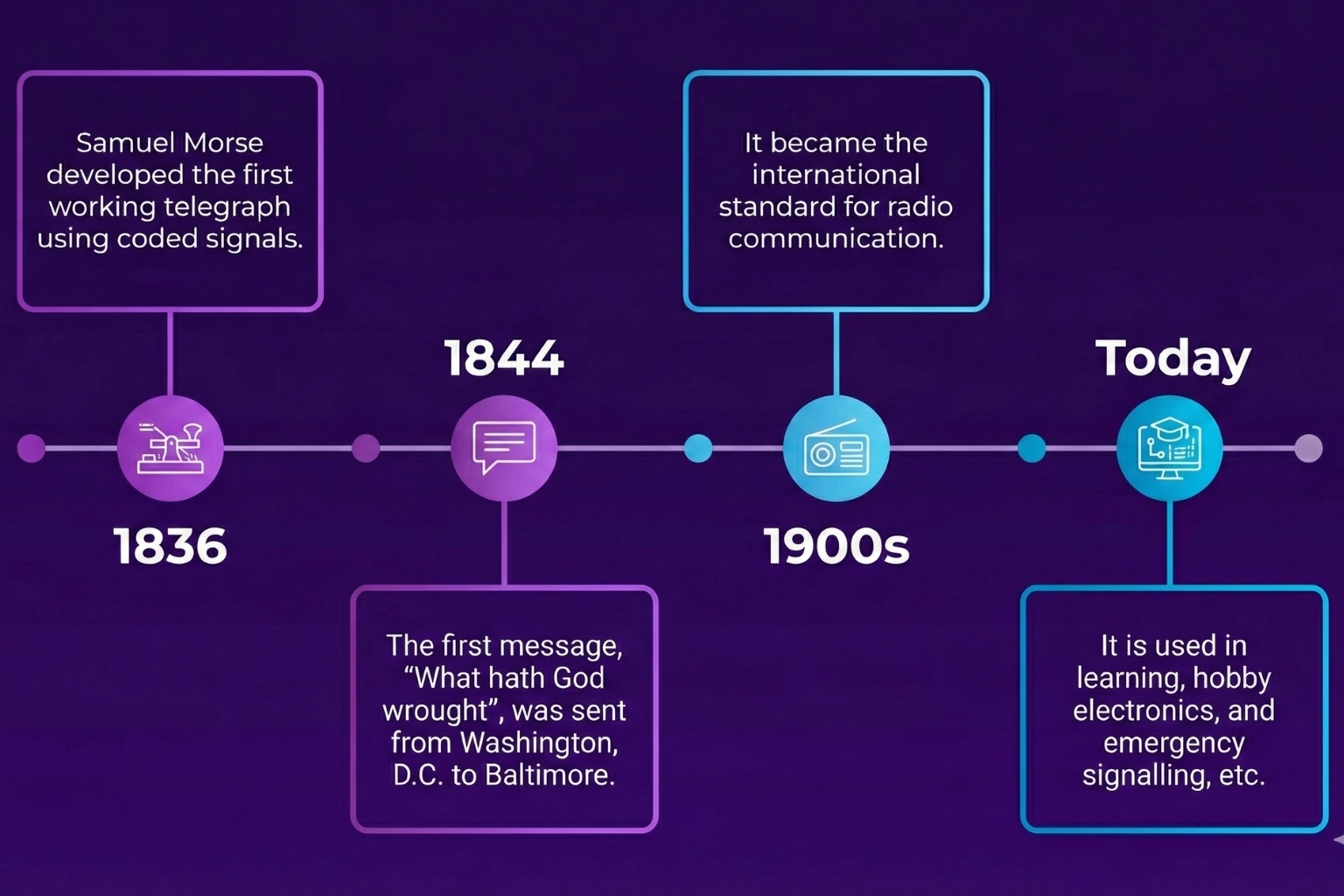
Samuel Morse and Alfred Vail developed this code in the early 1830s for the electric telegraph, letting people send messages between cities and countries almost instantly. Over the following decades it grew into a global standard for long-distance communication — and today it even serves as assistive technology for people with disabilities.
How Morse Code Works: Dots, Dashes & Timing
Every character has a fixed pattern of dots (·) and dashes (–), and the pauses between them matter as much as the signals themselves. A dot lasts one time unit while a dash lasts three; the silence between parts of a letter is one unit, between letters three units, and between words seven. Our Morse code timing rules explain the full system. The most famous example is SOS — ··· ––– ··· — three dots, three dashes, three dots.
This translator applies all of those rules for you. Type any message and each character is instantly matched to its official pattern — no manual counting, no rhythm mistakes. It also runs in reverse, reading dots, dashes, and spacing to rebuild readable text. Built-in sound playback and light-flash display make practice interactive and fun.
Text to Morse Code / Encoding
The encoding panel turns anything you type into dots and dashes the moment you type it. Behind the scenes, every letter, number, and punctuation mark is swapped for its unique Morse pattern. Watching a word like “HELLO” transform into “··· · ·–·· ·–·· ––” in real time is the moment the whole system clicks.
Try these examples:
hello in Morse code “ ··· · ·-·· ·-·· –– ”.
SOS which translates to … — … (three dots, three dashes, three dots)
i love you in morse code “ .. / .-.. — …- . / -.– — ..- ”
i miss you in morse code ” .. / — .. … … / -.– — ..- ”
hi in morse code “ …. .. ”
help me in morse code ” …. . .-.. .–. / — . ”
yes in morse code ” -.– . … ”
i like you in morse code ” .. / .-.. .. -.- . / -.– — ..- “
Morse Code to Text / Decoding
Decoding runs the process in reverse: paste in dots and dashes and get readable text back. It’s handy when someone sends you a coded message or when you want to check your own practice — try short words like “HELLO” or “SOS” and watch them translate instantly, which sharpens your feel for dot-and-dash timing. The decoder recognizes dots, dashes, and the gaps between letters and words automatically, giving beginners accurate results right away.
Try these examples:
“–. — — -.. / — — .-. -. .. -. –.” Will convert to “GOODMORNING”
“- …. .- -. -.- -.– — ..-” will convert to “Thank you”
“···· · ·-·· ·-·· — / ·– — ·-· ·-·· -··” it translates to hello world.
“…. . .-.. .–.” Morse code will convert to “HELP”
“… — …” translates to “SOS”
International Morse Code
International Morse code is the worldwide standard: one agreed set of dots (·) and dashes (–) for letters, numbers, and punctuation. It’s used across the globe for sound, light, and radio messages — especially wherever voice communication isn’t possible.
Morse Code Alphabet
Every letter from A to Z has its own dot-and-dash signature — quick characters like E (·) and T (–) zip by, while longer ones like Q (–––) take more time. See the complete Morse code alphabet chart for the full A–Z reference. These patterns travel as sound or light, letting people exchange full messages without speaking a word.
| Alphabet | Morse Code |
|---|---|
| A | .- |
| B | -… |
| C | -.-. |
| D | -.. |
| E | . |
| F | ..-. |
| G | –. |
| H | …. |
| I | .. |
| Alphabet | Morse Code |
|---|---|
| J | .— |
| K | -.- |
| L | .-.. |
| M | — |
| N | -. |
| O | — |
| P | .–. |
| Q | –.- |
| R | .-. |
| Alphabet | Morse Code |
|---|---|
| S | … |
| T | – |
| U | ..- |
| V | …- |
| W | .– |
| X | -..- |
| Y | -.– |
| Z | –.. |
Morse Code Numbers
Digits 0–9 each get their own five-signal sequence of dots (·) and dashes (–). These number codes make it simple to transmit times, counts, and figures in the same compact style as the rest of the code.
| Number | Morse Code |
|---|---|
| 0 | —– |
| 1 | .—- |
| 2 | ..— |
| 3 | …– |
| 4 | ….- |
| Alphabet | Morse Code |
|---|---|
| 5 | ….. |
| 6 | -…. |
| 7 | –… |
| 8 | —.. |
| 9 | —-. |
Punctuation
Morse covers punctuation too — dedicated dot-and-dash patterns for commas, periods, question marks, and more. As in ordinary writing, they shape sentences, mark pauses, and keep transmitted messages clear and easy to follow.
| Symbol | Morse Code |
|---|---|
| . | .-.-.- |
| , | –..– |
| ? | ..–.. |
| ‘ | .—-. |
| ! | -.-.– |
| / | -..-. |
| : | —… |
| ; | -.-.-. |
| Symbol | Morse Code |
|---|---|
| = | -…- |
| + | .-.-. |
| – | -….- |
| _ | ..–.- |
| “ | .-..-. |
| $ | …-..- |
| @ | .–.-. |
| ( | -.–. |
| ) | -.–.- |
Is Morse Code Still Used?
Yes — this 19th-century code still does real work today:
• Amateur (ham) radio operators use it to reach across continents when voice signals can’t get through.
• Aviation beacons broadcast station identifiers in Morse so pilots can confirm navigation points.
• In emergencies, flashing or tapping SOS can summon help when modern devices fail — our step-by-step SOS signaling guide shows exactly how.
• Assistive technology lets people with limited mobility communicate through blinks or taps.
Plenty of learners also pick it up for fun, secret notes, or survival skills — proof that simple signals never go out of style.
Morse Code Translator Features
Today’s online Morse code translators bundle thoughtful, beginner-friendly features into a single page. Beyond converting text to Morse and back, you get audio playback, visual signals, and precise controls — every option invites hands-on experimenting, whether you’re trying Morse for the first time or you’re a seasoned hobbyist.
Morse Code Text
Text conversion sits at the heart of this free online Morse code translator: type normally and watch words become Morse, or paste code to get English back. A one-click Copy button grabs the result for sharing or saving elsewhere. Everything stays fast and smooth, so you can focus on learning instead of looking up symbols by hand.
Morse Code Sound
Our audio Morse code translator plays your message as short and long beeps for dots and dashes — much like telegraph operators once heard it. Play, Pause, and Stop give you full control, while adjustable tone, pitch, and speed let you shape practice to your liking. Hearing the patterns makes them stick far faster than reading them.
Morse Code Light Translator
This mode flashes your message as short and long bursts of light for dots and dashes, echoing how light signals work on ships and in emergency beacons. Visual learners especially benefit: spotting patterns by sight adds a realistic, engaging layer to practice.
Extra Features
Beyond the essentials, a set of handy extras makes this translator practical for everyday play and serious study alike. Sound, light, and touch outputs recreate real-world signaling so beginners and experienced users can train comfortably.
Play & Pause
Press Play and your text becomes Morse beeps, flashes, or vibrations instantly. Pause freezes playback so you can study a tricky pattern, then resume exactly where you left off.
Speed
Set the playback pace from slow to fast. Beginners can slow down to catch every character; advanced users can speed up for a genuine challenge.
Volume
Raise or lower the audio to suit your surroundings — keep it quiet for focused study or turn it up to practice in a noisy room.
Share
Send your Morse text or audio to friends in one tap. Practicing together or posting coded messages online makes learning social and motivating.
Repeat
Loop your message as many times as you like. Repetition burns dot-and-dash patterns into memory and builds steady confidence.
Pitch
Shift the tone of the Morse beeps higher or lower. A comfortable pitch makes long practice sessions much easier on the ears.
Vibration
Feel Morse as short and long pulses — quick buzzes for dots, longer ones for dashes. A great way to experience the code by touch.
Accessibility Features
Vibration output, crisp audio, and clear on-screen text open Morse up to learners with hearing or vision difficulties — everyone can join in.
Save Audio
Download your Morse message as an audio file. Listen offline, replay it on the go, or share the recording with fellow learners.
Settings & Customization
Adjust sound, speed, and timing to match your taste. These personal tweaks keep the translator flexible and comfortable for your own learning style.